How to Check Vehicle Owner Details Using Registration Number
Checking vehicle owner details online using a registration number is very useful today. It helps car and bike owners, secondhand buyers and people doing general verification for many purposes.
Digital transport services make the process fast, transparent and accessible from anywhere. This complete guide explains how to check, why it is important and how it helps to make informed decisions using Parivahan Sewa or any reliable platform. Click to check echallan.
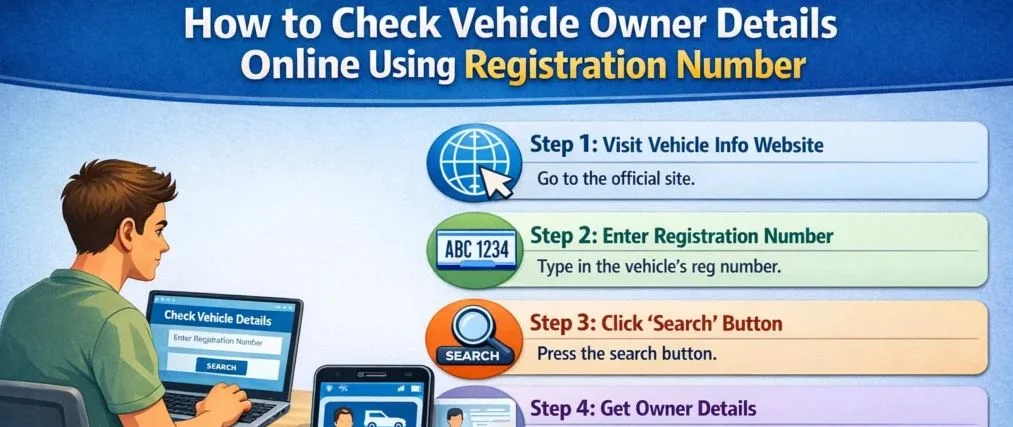
Step-by-Step Process to Check Vehicle Owner Details
- Open Parivahan Sewa, a trusted and reliable vehicle information website on your browser.
- Go to the vehicle information / RC status section.
- Select the correct service or option for checking vehicle details.
- Enter the full vehicle registration number carefully (e.g., AB12CD1234).
- Make sure there are no spaces, typing mistakes or missing characters.
- Click on the Submit / Search button.
- Wait a few seconds while the system processes your request.
- View the complete vehicle details on the screen, including owner info, registration date and vehicle type.
What Details Appear After Entering the Registration Number?
You will see the following details when you enter your registration number. The exact data may vary depending on platform and privacy rules.
- Name (often partially masked in many cases).
- Types like car, bike or scooter.
- Fuel, engine and capacity.
- Date, validity and class.
- Make, model and location.
Smart Reasons People Check Vehicle Owner Details
There are many practical reasons why people use this:
- To ensure the seller is genuine.
- To confirm that the records are legitimate.
- In case of road incidents, to identify a registered vehicle.
- To confirm that the certificate or RC is correct.
- To check if the vehicle is legally compliant.
This is very helpful in the market, especially during resale or purchase.
Who Can Use This Tool for Instant Verification
This service is open to anyone with a valid registration.
- Car and bike owners.
- Buyers planning used vehicle deals.
- Professionals and individuals.
- Anyone using it for informational purposes.
What Information Is Hidden Due to Privacy Rules
Some sensitive personal data is restricted to protect the user.
| You Can See | You Cannot See |
|---|---|
| Make, model. | Full address. |
| Fuel, type. | Contact details. |
| Registration data. | Sensitive info. |
Cars vs Bikes: How This Check Helps in Real Buying Situations
For cars:
- Verify ownership.
- Check accuracy.
- Avoid fraud.
For bikes and two-wheelers:
- Confirm authenticity.
- Check status.
- Ensure the deal is safer and faster.
These detail checks give strong benefits before buying.
Frequently Asked Questions
Can full owner details be seen?
No, full address and contact details cannot be shown.
Does it work for all vehicles?
Yes, works for cars, bikes and other vehicle types.
Is it useful before buying?
Yes, it helps verify and prevent fraud and confirm legitimate records.