Your vehicle registration certificate (RC) is among the most important documents you need. It proves your car, bike, or any commercial vehicle is legally registered and permitted to run on public roads. Checking your RC status lets you know exactly where your registration stands, whether it is under process, approved, or ready to download.
Let me walk you through everything about RC check status, how to download your digital RC, and why this matters for your vehicle ownership journey.
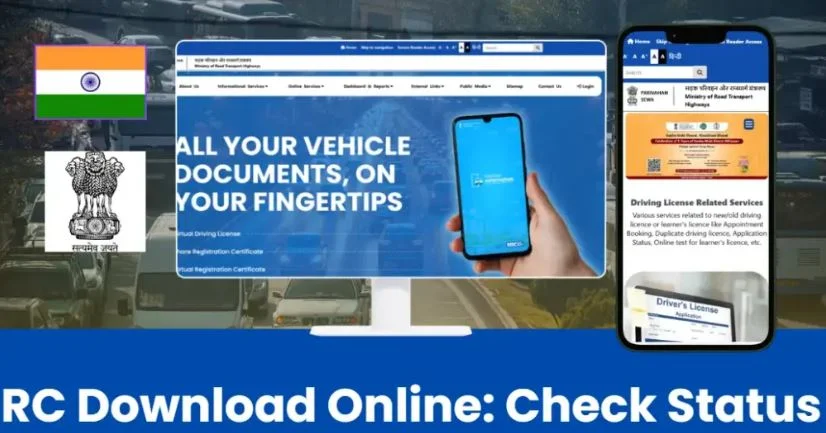
Understanding RC Status: What You Really Need to Know
What is RC?
Your RC is a legal document issued by the Regional Transport Office (RTO). This official certificate confirms that you own your vehicle and have registered it properly with government authorities. Without an RC, you cannot drive legally on public roads in India.
Think of your RC as proof of marriage between you and your vehicle. Just like a marriage certificate establishes your relationship, an RC establishes your ownership. The Ministry of Road Transport and Highways (MoRTH) oversees this entire registration process across the country.
What Does RC Status Actually Show
RC status is basically tracking your vehicle registration progress. When you apply for a new RC, ownership transfer, renewal, or a duplicate certificate, your application goes through different stages. RC status tells you exactly which stage your application is at right now.
Your RC status check reveals:
- The current condition of your application.
- Whether your RC is under process or already generated.
- If it has been dispatched to your address.
- Whether verification is pending or completed.
- If your application faced any issues.
The Different Stages Your RC Goes Through
When you apply for registration, your application does not appear in the system instantly. It moves through several phases. Understanding these phases helps you know what is happening behind the scenes at your RTO.
Your application starts as “Under Process” when the RTO receives it. This means your submitted documents are under review by the authorities. Your details are being verified against official records to ensure everything is accurate and genuine.
Once verification is complete and all your documents are correct, your RC status changes to “Approved.” This is when the RTO decides your application has met all requirements. The next stage is “Generated,” meaning your actual RC certificate has been created in the system.
After generation, the RC moves to “Dispatched” status, indicating it is being sent via post or courier to your address. Finally, you receive your printed RC document at your doorstep. Throughout this journey, you can track your RC application status online using the VAHAN portal or the mParivahan app.
How to Check RC Status Online
1. Checking RC Status Through VAHAN Portal
The VAHAN portal is the official system created by the Ministry of Road Transport and Highways. This is your most reliable way to know the current status of your RC application. The process is straightforward and accessible 24/7 from any device with internet.
Here is exactly what you need to do:
Step 1: Access the VAHAN Portal
Open your browser and go to the VAHAN RC status page. You can find this on the official parivahan.gov.in website or search “VAHAN RC status check online.”
Step 2: Choose “Know Your Application Status”
Once you are on the portal, look for the option that says “Know Your Application Status.” This is your gateway to checking your RC status.
Step 3: Enter Your Vehicle Information
Now you have two options. You can enter either your vehicle registration number (if your RC is already issued) or your application number (if you recently applied). Pick whichever one you have available.
Step 4: Complete the Captcha
For security, you will see a captcha code to verify you are human. Enter the code exactly as shown in the image.
Step 5: Click Search and View Results
After clicking the search button, the system will display your current RC status. You will see detailed information including your vehicle registration number, ownership details, registration date, validity period, and the exact stage your application is at.
2. Using mParivahan App for RC Check
The mParivahan app is a mobile application that lets you check your RC status, download digital RC, and access other vehicle-related services anytime and anywhere. This app is especially useful if you prefer mobile banking style convenience.
To use mParivahan for RC status check:
Download and Install
Search for “mParivahan” or “m-parivahan-register” in your app store. Download the official app developed by the Ministry of Road Transport and Highways.
Login to Your Account
Open the app and log in using your mobile number. You will receive an OTP on your registered phone. Enter this OTP to access your account securely.
Navigate to Vehicle Services
Once logged in, go to “Vehicle Related Services” in the menu. This section contains all options related to your registered vehicle.
Select Application Status
Tap on “Application Status” or “RC-application-status-check” option. Enter your vehicle registration number or application number.
View Your Status Instantly
The app will display your RC status along with vehicle details like your vehicle class, fuel type, make, model, color, engine number, and chassis number. You can also see if your vehicle is linked with active insurance and PUC (Pollution Under Control) certificates.
Downloading Your RC Certificate Online
Digital RC is an electronic version of your registration certificate that holds the same legal validity as your physical paper RC. You can download this digital copy and keep it on your phone or laptop. This digital RC is completely valid while driving and has been recognized legally across India.
Many people prefer having both a physical and digital copy. Your digital RC acts as a backup and comes in handy when you need to share your registration details online or with insurance agencies.
Method 1: Download RC Through DigiLocker
DigiLocker is a government digital document storage system where your RC is automatically uploaded once it is issued.
Access DigiLocker
Go to digilocker.gov.in and click “Sign In.” You have two options for login: Aadhaar or mobile number-based authentication.
Search for Your RC
Once logged in, search for “RC (Registration Certificate)” in the document search bar. All your vehicle registration certificates will appear here.
Download Your Document
Click on the RC document and select download. You will get a PDF version of your official RC that you can save, print, or share as needed.
Method 2: Download RC Using mParivahan App
The mParivahan app offers a “Virtual RC” feature that lets you download your digital RC directly to your phone.
Open Virtual RC Section
Open the mParivahan app and navigate to “Virtual RC” or “RC Download” section.
Enter Vehicle Details
Provide your vehicle registration number and any other required information.
Download and Save
The app will generate your digital RC. You can view it on screen, download it as PDF, or even take a screenshot for quick access. This digital version is accepted everywhere your physical RC would be accepted.
What Different RC Statuses Mean
Application Under Process
This status means your RC application has been received by the RTO and is currently under review. Your documents are being checked for accuracy and authenticity. This stage can take anywhere from a few days to a few weeks depending on your RTO’s workload and document verification requirements.
RC Approved
Once your documents pass all verification checks and everything is found to be correct and genuine, your status changes to approved. This means the RTO has verified your vehicle details, ownership claim, and all supporting documents. No further documents or corrections are needed.
RC Generated
RC generated means your certificate has been created in the system. The actual printing process has started, and your RC document is being prepared. From this point, it is just a matter of days before the physical RC reaches your address.
RC Dispatched
Your RC has left the RTO office and is on its way to you. It is being sent via courier or postal service. You should receive it within 5 to 7 days from the dispatch date. Make sure your address with the RTO is correct to avoid delivery issues.
Application Rejected
If your status shows rejected, it means some information in your application was found to be incorrect or missing. You will need to check with your RTO about which documents or details caused the rejection. Once corrected, you can reapply for registration.
Why Checking Your RC Status Matters
Legal Compliance and Vehicle Registration
Your vehicle cannot run legally on public roads without proper registration. By checking your RC status, you ensure that your car, bike, or commercial vehicle is properly registered with the government. This is not optional, it is a legal requirement.
Driving an unregistered vehicle can lead to heavy fines, vehicle impoundment, and legal action. Checking your RC status helps you avoid these situations by keeping you informed about your registration status.
Proof of Ownership
Your RC is your official proof that you own the vehicle. This matters when you want to transfer ownership, get your vehicle insured, or sell your vehicle. A valid RC clearly shows that you are the legal owner and have the right to use the vehicle.
Insurance and PUC Compliance
Your vehicle insurance and PUC (Pollution Under Control) certificates are often linked with your RC. By checking your RC status, you can also see whether your insurance and PUC are active and valid. This is important because driving without valid insurance or PUC is illegal and can result in penalties.
Avoiding Documentation Problems
Many people face issues when they need to produce their RC for traffic checks, toll gates, or government services. By checking your RC status and downloading your digital RC, you ensure you always have a valid document ready when needed.
Vehicle Transfer and Sale Transactions
If you want to transfer your vehicle ownership to someone else or sell your vehicle, you need an updated RC. Checking the status ensures your RC is in order and ready for the transfer process. It saves you time and prevents delays in completing the ownership transfer.
Common RC Status Problems and Solutions
RC Status Not Showing in System
Sometimes your RC does not appear in the VAHAN system immediately after application. This usually means your application is still being processed. The system takes 1 to 2 days to register new applications.
Give it a few more days before worrying. If it still does not appear after a week, visit your RTO office in person with your application receipt. Keep your original documents and proof that you applied.
Delayed RC Delivery
If your RC status shows dispatched but you have not received it after 10 days, there might be a delivery issue. Check if your address on the application is correct. Sometimes RC gets delayed due to address mismatch or postal service delays.
Contact your RTO and provide your application number. They can track your RC and provide an updated dispatch status. If the address is wrong, you may need to update it through a new application.
RC Rejection and How to Fix It
An RC rejection is frustrating but fixable. The RTO will provide a specific reason for rejection, usually related to incorrect or missing documents. Common reasons include address mismatch, incorrect vehicle details, or missing signatures.
Always double-check your application details before submission. Review every field to ensure your name, address, vehicle number, and owner details are exactly as they appear in your purchase documents. Small errors in spelling or format can cause rejections.
Verification Problems
If your RC status is stuck on “under process” for too long, it might mean the RTO is facing issues verifying your documents. This can happen if your details do not match government records or if there is a name mismatch.
Visit your RTO office and ask about the specific verification issue. Sometimes you just need to provide an additional document or get something clarified with the officer. Being proactive helps speed up the process.
RC Vehicle Information and Details
Your RC certificate contains detailed vehicle information that uniquely identifies your car, bike, or commercial vehicle. Understanding what these details mean helps you verify that your RC is correct.
Your vehicle registration number is the unique identifier assigned to your vehicle. This number appears on your number plate and in all official records. It includes your state code, district code, and a sequential number.
The vehicle class on your RC tells whether your vehicle is a car, bike, commercial vehicle, or another type. This classification is important because it determines what taxes you pay and what traffic regulations apply to you.
Vehicle fuel type indicates whether your vehicle runs on petrol, diesel, CNG, or electricity. This matters for pollution control compliance and vehicle tax calculations.
Your vehicle make and model tell you the manufacturer and exact model of your car or bike. This information is used to verify vehicle authenticity and check against theft records.
The engine number and chassis number are unique to your specific vehicle. These numbers help authorities identify stolen vehicles and verify genuine vehicles. Always keep these numbers safe and protected.
Insurance and PUC details linked with your RC show when your vehicle insurance is valid and when you need to renew your PUC certificate. These are important for legal compliance while driving.
RC Registration Types and Categories
New Vehicle Registration
When you buy a new car, bike, or commercial vehicle, you need to register it. The new registration process involves submitting your purchase documents, getting your vehicle inspected, and obtaining a new RC.
Ownership Transfer
If you buy a used vehicle, you need to transfer the RC from the previous owner to yourself. This process involves submission of both old and new owner documents. The registered owner can also change if the vehicle is inherited or gifted.
RC Renewal
Your RC has a validity period mentioned in the certificate. Before this period expires, you need to renew your RC. Renewal ensures your registration remains active and your vehicle can continue running legally.
Duplicate RC Certificate
If your RC is lost, stolen, or damaged, you can apply for a duplicate RC. This process is faster than original registration and requires proof of loss and your old RC number.
Online vs Offline RC Status Check Methods
| Factor | Online VAHAN Portal | mParivahan App | RTO Office Visit |
|---|---|---|---|
| Accessibility | 24/7 from any device | 24/7 from smartphone | Office hours only |
| Time Required | 2-3 minutes | 2-3 minutes | 30-60 minutes |
| Cost | Free | Free | Free |
| Information Detail | Complete status and vehicle details | Complete status and vehicle details | Detailed and immediate clarification |
| Digital RC Download | Not available | Available instantly | Physical copy only |
| Convenience | High – no travel needed | Highest – mobile access | Low – requires visiting office |
| Accuracy | Official and current | Official and current | Official and authoritative |
Frequently Asked Questions
How can I check my RC status online?
Visit the VAHAN portal at parivahan.gov.in, select “Know Your Application Status,” enter your vehicle registration or application number, complete the captcha, and click search. Your RC status will appear instantly.
Can I download my RC without visiting the RTO office?
Yes, you can download your digital RC through DigiLocker or the mParivahan app once your RC is issued and appears in the system.
Is digital RC valid while driving?
Absolutely. Digital RC downloaded from DigiLocker or mParivahan app is legally valid and accepted everywhere. Keep it on your phone or laptop for easy access during traffic checks.
How long does RC approval take?
Typically, RC approval takes 7 to 14 days from the date of application. The exact time depends on your RTO’s processing speed and document verification requirements.
What should I do if my RC application is rejected?
Contact your RTO office with your application number to understand the rejection reason. Correct the mentioned issues, gather the required documents, and reapply.
Can I check RC status with only my vehicle number?
Yes, you can check RC status using either your vehicle registration number or your application number. Both options are available in the VAHAN portal.
Is it safe to download RC from DigiLocker?
Completely safe. DigiLocker is an official government platform, and your RC downloaded from there is authentic and legally valid.
What happens if I lose my RC document?
Apply for a duplicate RC at your RTO office. You will need to file an FIR if it was stolen, or provide a written statement if it was lost. The process takes about a week.
Do I need both physical and digital RC?
Physical RC is still required for some official transactions. Digital RC is convenient for online submissions and quick reference. Having both is ideal
How do I update my address on my RC?
Visit your RTO office with proof of new address and your current RC. File an application for address change. Processing usually takes 7-10 days.